Property management cleaning reports for HOA and common-area contracts
The property manager is never on site when your crew is. Show them the lobby, hallways, and amenity spaces got done at every property, under your logo.
Start 14-Day Free PilotNo credit card required • Set up in under 10 minutes
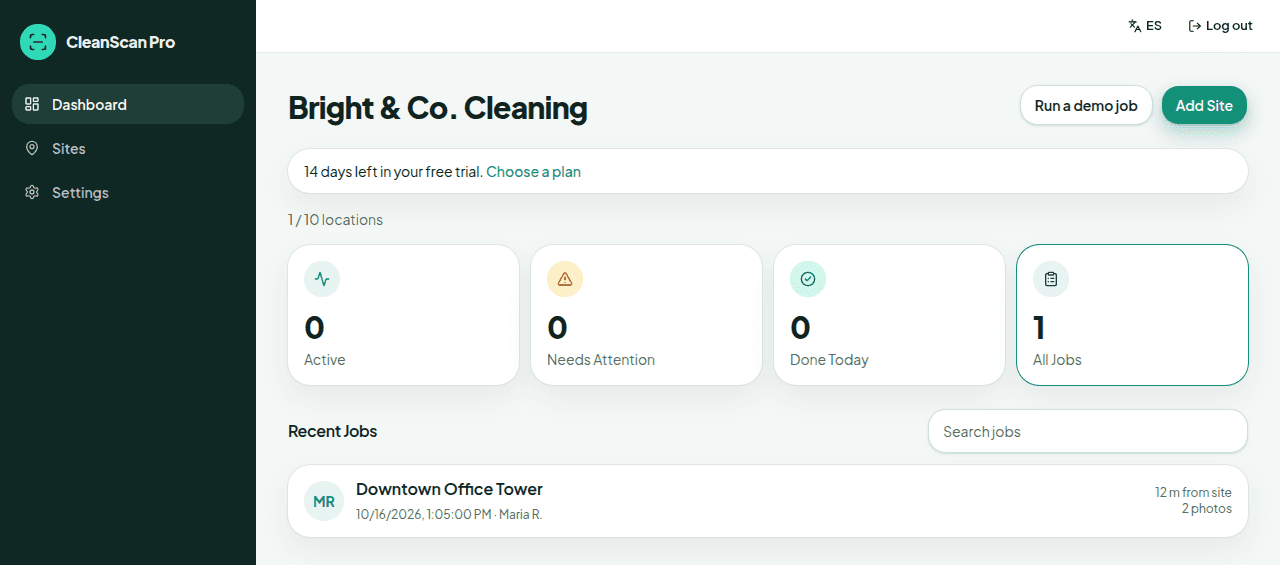
When you clean common areas for a property management company or an HOA, the people paying you rarely see the work. Property management cleaning reports close that gap. CleanScan Pro records a GPS-verified check-in and check-out at each property, with before and after photos, and turns it into a branded report the manager or board can read in a minute.
The problem
“The board meets once a month and someone always says the clubhouse looked bad. I can't prove we were there on the 14th.”
What CleanScan Pro does
Search jobs by that property's name. Each job shows its date. The report shows the GPS-verified check-in and check-out on a map, with timestamps and the before and after photos.
The problem
“One manager oversees twenty of our buildings and wants to know what got done without calling me.”
What CleanScan Pro does
Turn on auto-send and save the manager's email on the site. The client gets a report link when the crew checks out. The Friday summary is a separate switch, off until you turn it on. Then, on Fridays at 5 PM Eastern, each site with a client email and jobs that week gets a summary for that location, and you get the overview.
The problem
“My crews float between properties all week. I need to know they actually hit each one.”
What CleanScan Pro does
GPS lists the nearest site first when a cleaner checks in, and each property has its own geofence. The dashboard shows active and completed jobs. A check-in outside a geofence is labeled with the distance. A property with no check-in is not flagged on its own.
Are you the property manager?
CleanScan Pro is used by cleaning companies, not by property managers. There's nothing for you to log into. Your cleaning vendor sends you the reports. If you want this kind of proof from your vendor, send them this page.
How it works
1
Add each property
Set up every community, building, or common area you service as its own site.
2
Crews check in wherever they are
Cleaners open the same link at every property. GPS lists the nearest site first, and they take before and after photos and check out.
3
Managers get the report you send
Email the report or copy the link. If auto-send is on and the site has a client email, the link goes out at check-out. The Friday summary is a separate setting.
Questions
Can the property manager log in and see all our jobs?
No. There's no client portal. You see everything in your owner dashboard, and the manager receives the reports you send, by email or shareable link.
Whose name is on the report?
Yours. Upload your logo once and every PDF and shared link carries your logo and colors.
What happens as we add properties?
Plans are based on the number of locations, with unlimited cleaners on every plan. If you pass your location limit, choose a larger plan in Settings. That opens Stripe Checkout for the new plan. CleanScan Pro does not prorate the change itself.
See it on your own sites tonight.
No credit card required • Set up in under 10 minutes