Office cleaning software that proves your crew was there last night
Your clients go home at 5 and your crew shows up after. CleanScan Pro gives you a GPS-verified, time-stamped record of every visit, plus a report with your logo on it that you can send before anyone asks.
Start 14-Day Free PilotNo credit card required • Set up in under 10 minutes
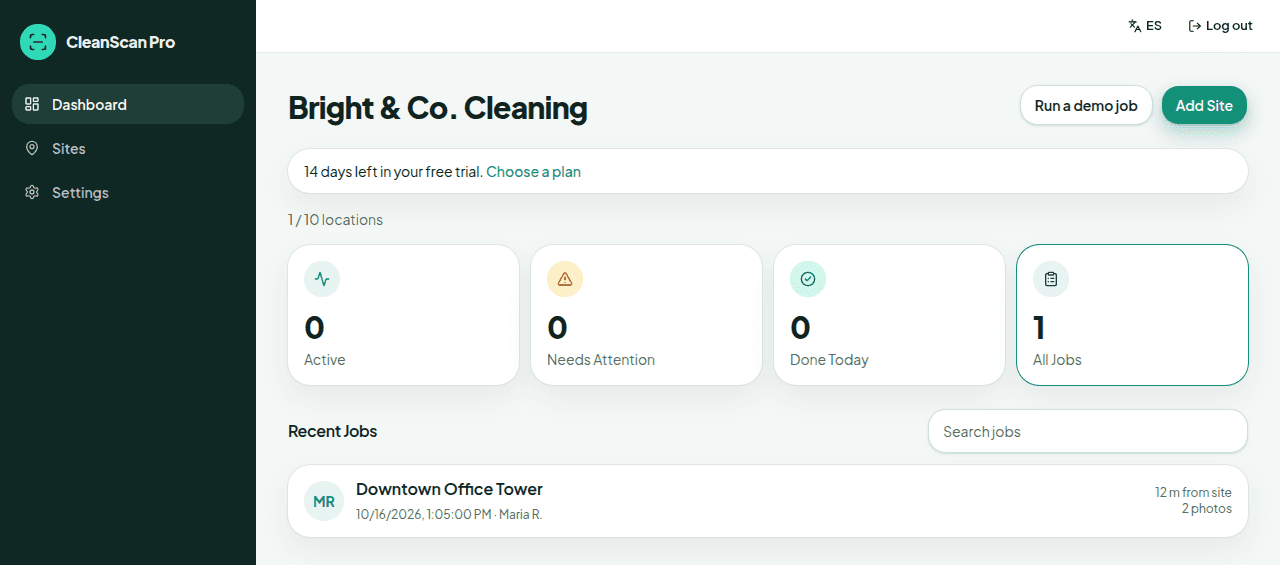
Most office cleaning happens when nobody from the client is around. CleanScan Pro is office cleaning software built for one job: showing your client the visit happened. Cleaners check in from any phone browser, GPS confirms they're at the building, and you get a record of arrival time, departure time, location, and photos.
The problem
“The office manager emails Monday morning saying the trash wasn't emptied, and all I've got is my cleaner's word.”
What CleanScan Pro does
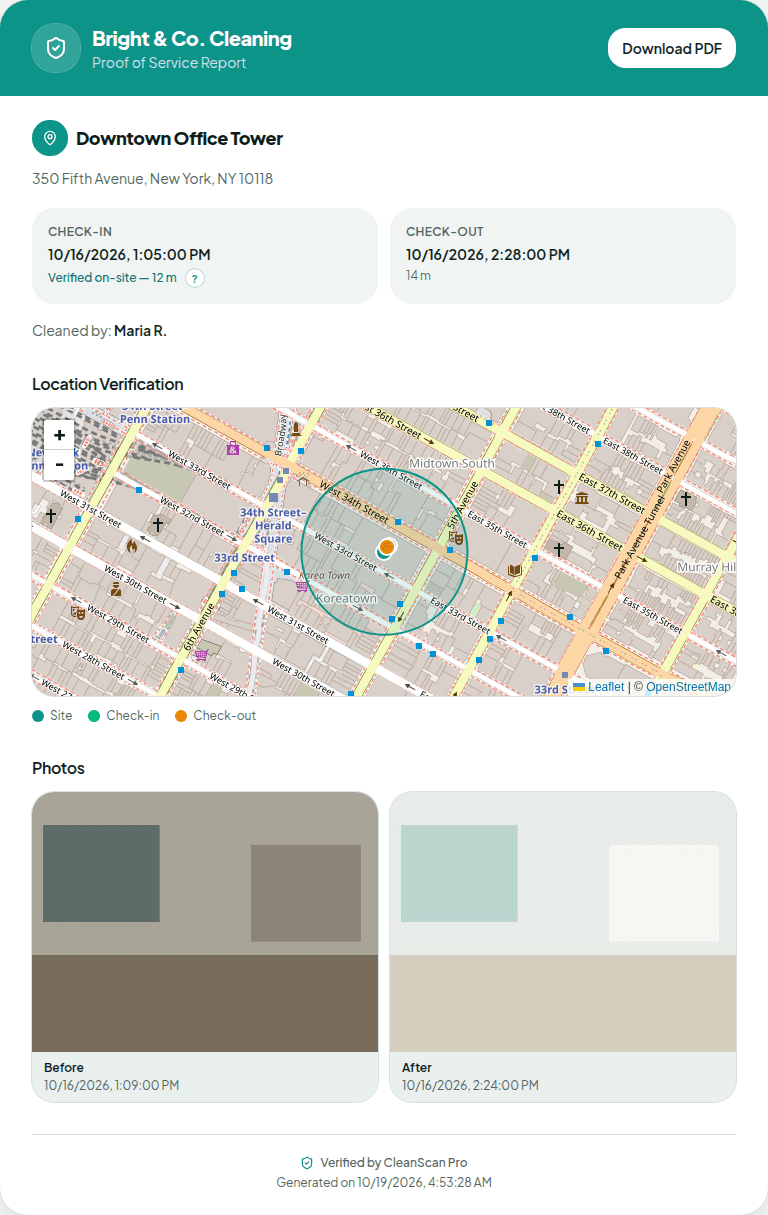
Every visit has a GPS-verified check-in and check-out against that building's geofence, plus a before photo and an after photo on the sites where you require them. Open the job, send the branded report, and the conversation is about facts.
The problem
“I have crews in a dozen buildings tonight and I don't know who's where until something goes wrong.”
What CleanScan Pro does
The live dashboard shows active jobs and recent completions across your sites. A check-in outside a site's geofence is labeled on that job with the distance. A building with no check-in is not flagged on its own.
The problem
“My night crew won't install another app, and I'm not paying per head for software.”
What CleanScan Pro does
Nothing to install. Cleaners open a link in any phone browser and enter your company code word. There are no individual accounts, and every plan includes unlimited cleaners.
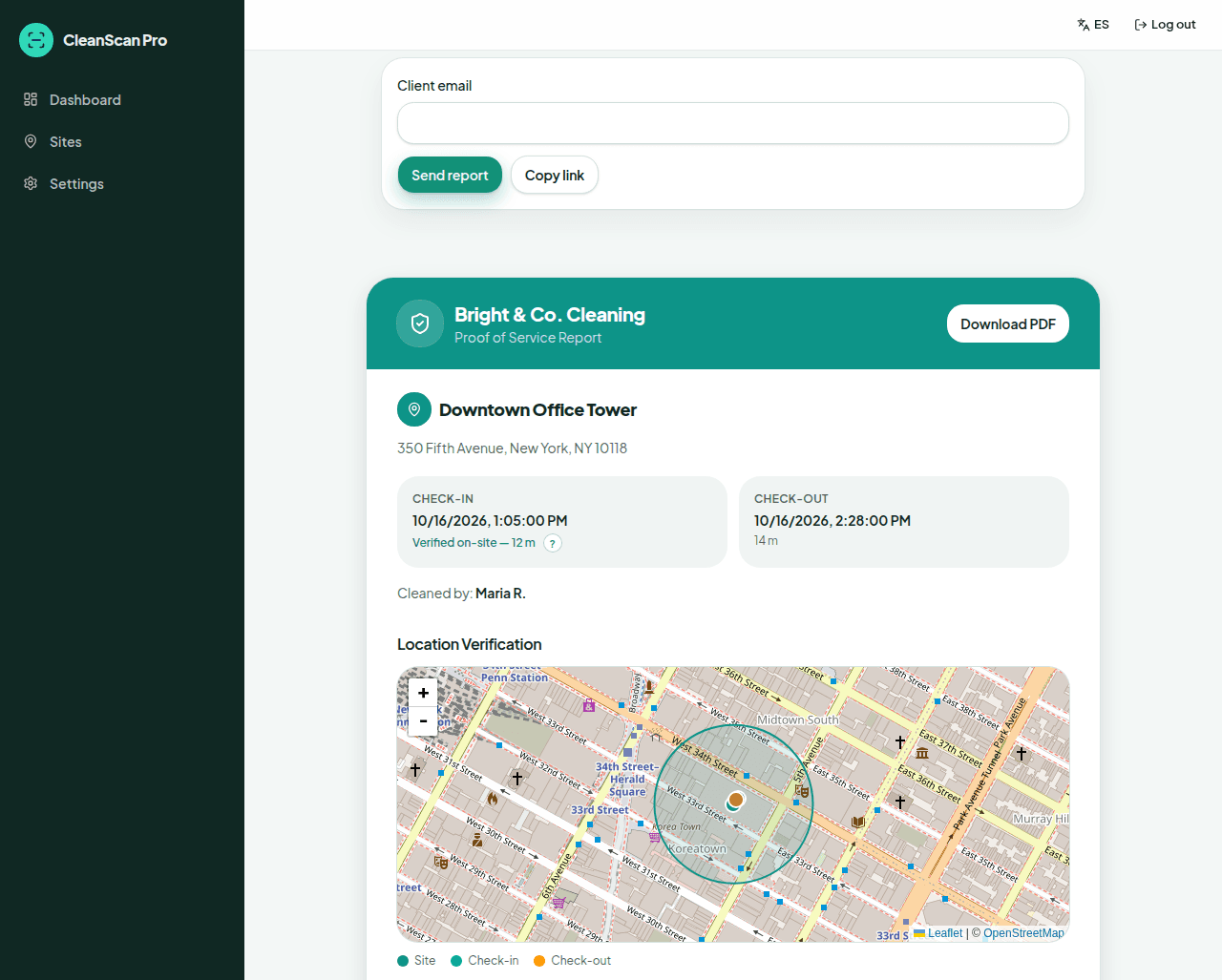
Captures of the Bright & Co. demonstration job at Downtown Office Tower. These are the real owner dashboard, job page, and client report.
How it works
1
Add your buildings
Enter each office building as a site in the owner dashboard. Turn on required photos for the accounts that need them.
2
Crew checks in on site
The cleaner opens the link, enters the code word, and GPS lists the nearest building first. One tap to start, a before photo, an after photo, then check out.
3
Send the proof
Download a white-labeled PDF with map, photos, and timestamps, or copy a link. If you turn on auto-send and the site has a client email, the client gets the report link when the crew checks out.
Questions
Can the report go to the office manager automatically?
Yes, if you turn on auto-send and that site has a client email. When the crew checks out, a link to the branded report is emailed to that address. You can also send a report yourself or copy a link. The Friday summary stays off until you turn it on. Then, on Fridays at 5 PM Eastern, you get an overview of all sites, and each site with a client email and jobs that week gets a summary for that location.
What does my client actually see?
A PDF or live link with your logo and colors, a map, check-in and check-out times, and the photos. There's no client login or portal. They get the report you send them.
Does GPS prove the offices were cleaned well?
No. GPS proves the cleaner's phone was at the building and when. The before and after photos show the work. How well the details were done is still between you and your client, but you stop arguing about whether anyone showed up.
See it on your own sites tonight.
No credit card required • Set up in under 10 minutes