Medical office cleaning software for dental and medical practices
Practice managers notice everything the next morning. Give them a dated record of every visit, with photos, under your company's name.
Start 14-Day Free PilotNo credit card required • Set up in under 10 minutes
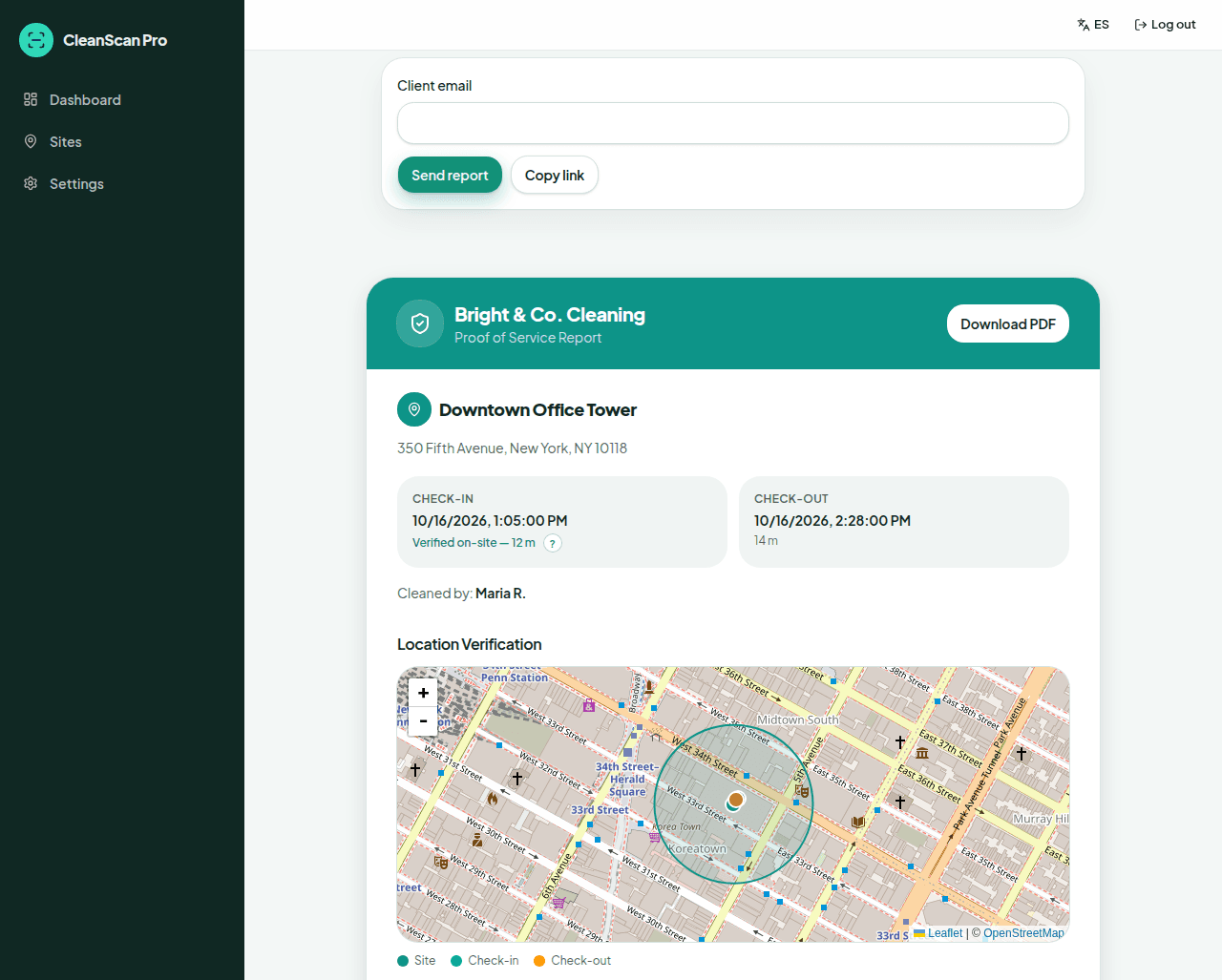
Cleaning a dental or medical office means working after hours in a space where staff will spot anything you missed. CleanScan Pro is medical office cleaning software that documents each visit: when your cleaner arrived, when they left, that they were at the right building, and what the space looked like before and after.
The problem
“The practice manager asks when the operatories were last done, and I'm scrolling back through texts.”
What CleanScan Pro does
Every visit is kept in your full job history. Search by the site name, and open the check-in, check-out, and photos. Find the night, send the report.
The problem
“I clean three practices across town on the same night. I can't drive to all of them to check.”
What CleanScan Pro does
Each practice is its own geofenced site. Check-in and check-out are compared to that geofence, and a check-in outside it is labeled with the distance. The dashboard shows which jobs are in progress and which are done.
The problem
“The office wants documentation, but I don't want my cleaners poking around in the software or photographing anything they shouldn't.”
What CleanScan Pro does
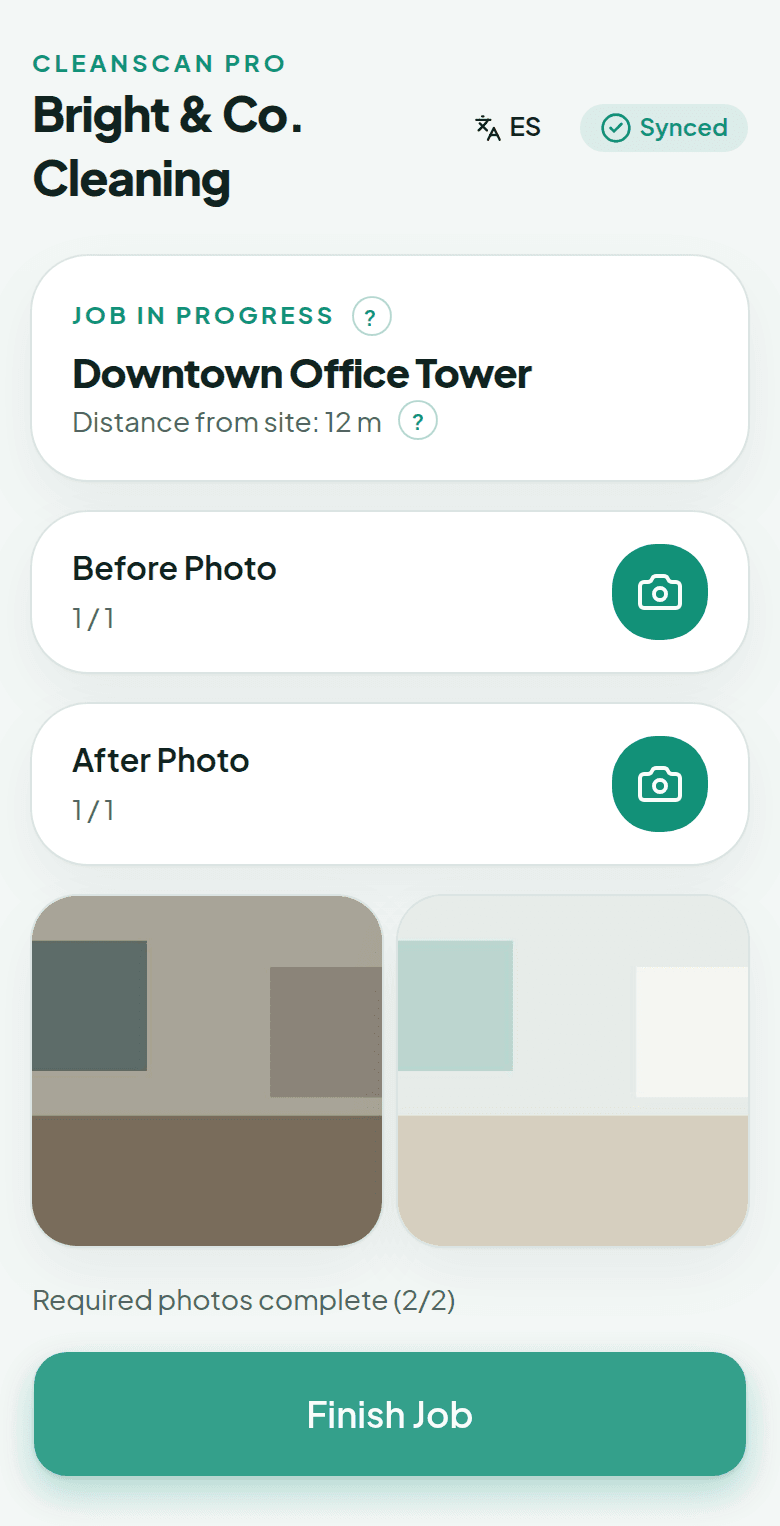
The cleaner screen is input-only. Cleaners check in, take the photos you require, and check out. They can't browse other jobs or reports. You choose which sites require photos. One practical rule for your crew: photograph rooms and surfaces, never screens, charts, or paperwork.
How it works
1
Set up each practice
Add every medical or dental office as a site and decide where before and after photos are required.
2
Clean after closing
Your cleaner checks in on a phone browser when they arrive. GPS confirms the location. Before photo, after photo, check out. If the suite has no signal, offline mode saves everything and syncs later.
3
Hand the practice a record
Send the practice manager a report with your logo, the map, the times, and the photos. If you turn on auto-send and the site has a client email, that link goes out at check-out.
Questions
Is CleanScan Pro a healthcare compliance tool?
No. CleanScan Pro doesn't hold or claim any healthcare certification. It records proof of service for your cleaning visits: GPS-verified check-in and check-out, timestamps, and photos. It isn't built to store patient information, so keep photos to rooms and surfaces.
Can I require photos at some offices and not others?
Yes. Photo requirements are set per site, so you can require before and after photos at the practices that want documentation and skip them elsewhere.
Do cleaners need to install anything?
No. CleanScan Pro runs in any phone's web browser. Cleaners open your link, enter the company code word, and check in.
See it on your own sites tonight.
No credit card required • Set up in under 10 minutes