Post-construction cleaning software: photo proof that gets the invoice paid
The GC or the landlord signs off faster when the before, the after, and the timestamp are in one report with your name on it.
Start 14-Day Free PilotNo credit card required • Set up in under 10 minutes
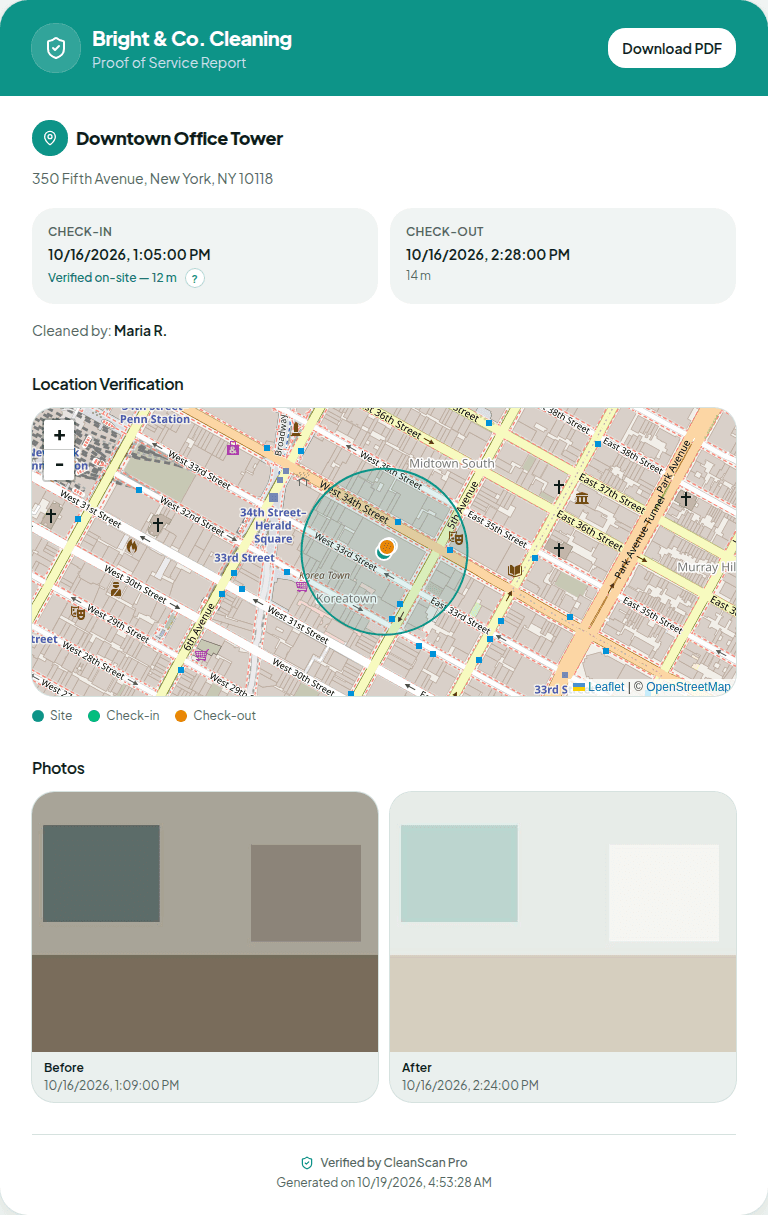
Post-construction and move-out jobs get paid on sign-off, and sign-off is where the arguments start. CleanScan Pro is post-construction cleaning software that ties a time-stamped before photo and after photo to a GPS-verified check-in at the job address, then puts it in a branded report you can attach to the invoice.
The problem
“The GC is holding my invoice because the super says the units weren't detailed, and the painters have been back through since.”
What CleanScan Pro does
Your after photo is time-stamped and tied to a GPS-verified check-out at that address. Attach the report to the invoice, and it shows how the space looked when your crew left, before the next trade came in.
The problem
“Move-outs turn into deposit fights, and the landlord wants to know if it was us or the tenant.”
What CleanScan Pro does
The before photo shows what your crew walked into. The after photo shows how they left it. Both are time-stamped and in the same report under your logo.
The problem
“These are one-off addresses, not regular accounts. I can't spend an hour setting up each job.”
What CleanScan Pro does
Add the address as a site in the dashboard. Your crew uses the same link and code word they always do, and GPS lists the new address with the nearest sites when they check in. A site counts toward your location limit until you delete it. Deleting a site also deletes its jobs.
How it works
1
Add the job address
Create a site for the building, unit, or house and require photos.
2
Before, after, check out
The crew checks in on arrival, takes the before photo, cleans, takes the after photo, and checks out. In concrete cores and basements with no signal, offline mode holds everything until the phone reconnects.
3
Send it with the invoice
Download the branded PDF or copy the report link and send it with your invoice or final walkthrough.
Questions
How many photos does each job include?
One before photo and one after photo per job. Pick the shot that shows the result the client will judge you on.
Can I attach the report to an invoice?
Yes. Download the PDF and attach it, or paste the report link into your invoice email.
Will it work in a building where the power and internet aren't on yet?
Yes, as long as the cleaner's phone has a battery. Offline mode logs the check-in and photos locally and syncs automatically when the phone gets a connection.
See it on your own sites tonight.
No credit card required • Set up in under 10 minutes